What Is My Music Studio Designed to Do?
What Is My Music Studio Designed to Do?
I built My Music Studio because I was running into the same problem every week as a piano teacher: the teaching itself was clear and purposeful, but everything around it was messy. Lesson notes lived in one place, schedules in another, invoices somewhere else, and parent communication filled the gaps in between. None of it was conceptually difficult, but it all competed for attention I wanted to reserve for listening, teaching, and making musical decisions.
My Music Studio is my attempt to reduce that load without simplifying the teaching. I didn’t want software that got in the way or dictated how I teach. I wanted something that would unobtrusively support the way my instrumental lessons work.
One Place for the Work I Was Already Doing
In my own teaching, fragmentation was the biggest drain. By the time a student returned for a follow-up lesson, and I had taught 20, 30 or 40 lessons in between, so I couldn't always bring immediately to mind what I did with that particular student last lesson. And I couldn’t find the info as fast as I wanted. I knew generally what was coming up, whether it was an exam, performance, or another deadline, but those details weren’t connected to the lesson in the moment. And when I did my scheduling, I couldn't see everything I needed to make the best timetabling decisions.
So I designed My Music Studio around integration. Lesson notes, scheduling, attendance, events, and billing all live together, and they’re aware of each other. When I open a student’s lesson, I can see their full note history: what was assigned, what was achieved, and what’s coming next. Upcoming exams or concerts appear directly in the lesson context, so they shape my decisions naturally rather than sitting in a separate calendar I have to remember to check.
Lesson Notes Built Around Real Lessons
Lesson notes sit at the centre of the system because that’s where teaching decisions happen. I wanted notes that could be written quickly during a lesson but still hold real musical detail. That means formatted text, embedded audio, links, and clearly defined tasks, not just a summary written at the end of the day.
Being able to see previous notes while writing the current one has been essential. It helps me check follow-through, reinforce ideas over time, and avoid that slow drift where instructions get forgotten or reshaped unintentionally. If I ask a student to practise the F# major scale 5 times each session, and then I don't follow up on whether they did it, their commitment to actually practise what I ask will decrease every time it happens.
Just as importantly, these notes aren’t private scraps of information. Students can revisit tasks, replay recorded examples, and track their own practice. Parents can see what we’re working on and what’s expected at home. That single change has reduced follow-up emails more than anything else I’ve done in my studio.
Teaching Tools That Sit Inside the Lesson
I’ve never liked switching between apps mid-lesson. It breaks concentration for both teacher and student. That’s why I built common tools (metronome, audio recorder, practice tracker, scale selector) directly into the lesson notes.
From there, I added learning tools that could enrich a variety of musical skills: aural training activities, note-reading games for beginners, memory-matching games for symbols and terminology, and simple reward systems for younger students. These aren’t meant to replace teaching. They’re there to support it, especially between lessons, when students are practising on their own.
Scheduling That Matches Studio Reality
Timetabling was another frustration I wanted to solve properly. Instrumental studios don’t run like generic appointment businesses, especially if you are teaching within a school like I have for some time. We deal with term schedules, rotating timetables, changing availability and different requirements for different year levels.
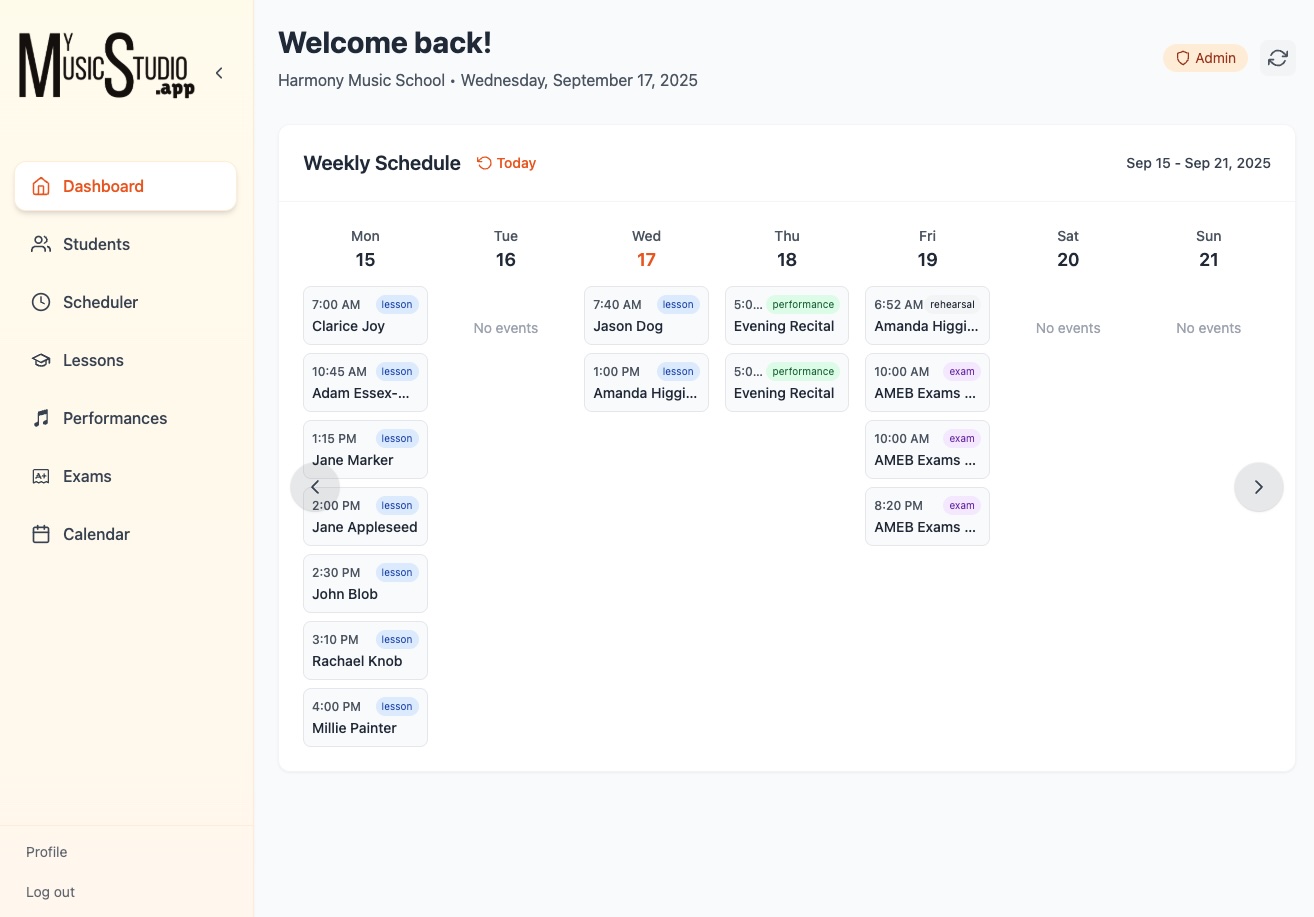
My Music Studio lets me collect availability from families, view it clearly, and build schedules by dragging students into workable slots. I can then generate lessons for a week, a term, or an entire year in one step. Attendance can be marked from wherever I happen to be in the app — the calendar, the dashboard, or the lesson itself — and customised to reflect my studio policies rather than forcing me into someone else’s logic.
Clear Communication Without More Email
Most studio communication problems aren’t about unwilling parents. They’re about missing or fragmented information. By giving parents and students direct access to lesson notes, calendars, and event details, most of those problems disappear.
Parents can see what’s coming up and how to prepare. Students know exactly what to practise and why. I spend far less time repeating myself, and lessons start from a shared understanding rather than a recap.
Admin That Stays Out of the Way
Billing, invoicing, and multi-teacher support follow the same principle. The system supports term, semester, monthly, or calendar-based billing, and shared student records allow multiple teachers to work consistently across the same studio.
None of this is designed to draw attention to itself. I don’t want teachers thinking about the software during lessons. I want it to hold things steady in the background so teaching can stay front and centre.
The Design Goal Behind It All
We are so lucky to be in the profession that we are. We get to work with a subject that we are passionate about and that brings enrichment to the lives of our students. I wanted to build a system to support teachers to do the things they do best. Its job is to remember things reliably, connect information sensibly, and reduce the number of small administrative decisions that compete with musical or educational judgment.
When it’s doing its job well, it’s almost invisible. Lessons flow more smoothly. Students arrive prepared. Parents feel informed. And at the end of the day, there are fewer loose ends for me to carry into my home life.
Inspired teaching, clear communication, and less administrative noise - that's what I want in my own teaching and is what I hope My Music Studio can support you to achieve as well.